

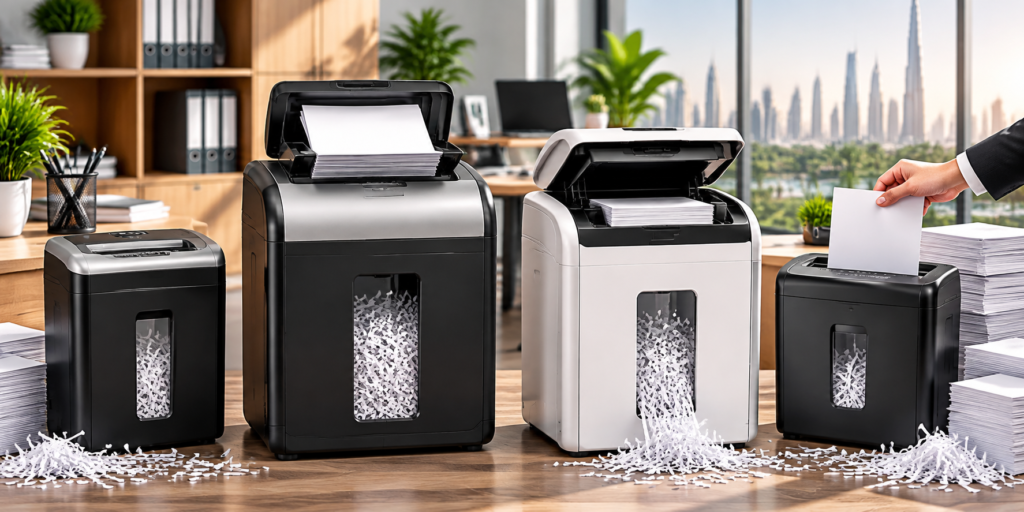

Paper Shredder Buying Guide: How to Choose the Right Shredder for Your Home or Office
Choosing the right paper shredder can help you protect confidential information, maintain privacy, and dispose of unwanted documents safely. Whether you need a shredder for personal paperwork, a home office, or a busy business environment, the right machine can make document disposal more convenient and efficient.
Modern paper shredders come in several varieties, including strip-cut, cross-cut, micro-cut, and automatic-feed models. Each type offers different levels of security, operating capacity, and ease of use. Understanding these differences can help you select a shredder that suits your workload and budget.
In this guide, we explain the main types of paper shredders, the features worth comparing, essential maintenance practices, and how to choose a suitable model for your needs.
Why Do You Need a Paper Shredder?
Many everyday documents contain private or confidential information. Bank statements, invoices, customer records, contracts, and personal identification copies can expose sensitive details if they are thrown away without proper disposal.
A paper shredder cuts documents into smaller pieces, making the original information more difficult to read or reconstruct. This can help reduce the risk of sensitive information being exposed through discarded paperwork.
A paper shredder can be useful for destroying:
- Bank statements and financial documents
- Business invoices and payment records
- Customer and employee information
- Contracts and confidential agreements
- Personal correspondence and identification copies
- Internal reports and private office documents
Before shredding important paperwork, make sure it does not need to be retained for legal, tax, financial, or administrative purposes.
Important Factors to Consider Before Buying a Paper Shredder
Not every paper shredder is designed for the same purpose. A compact model may be sufficient for occasional home use, while a larger office may require equipment capable of handling frequent and high-volume shredding.
Consider these factors before making your purchase.
1. Document Security Level
The cutting technology determines how thoroughly a shredder destroys paper. Strip-cut models provide basic disposal, while cross-cut and micro-cut machines produce smaller pieces for increased security.
Choose a security level that matches the sensitivity of the documents you regularly handle.
2. Sheet Capacity
Sheet capacity indicates how many sheets a machine is designed to shred in one pass under specified conditions. A higher capacity can reduce the number of feeding cycles required for larger jobs.
Always follow the manufacturer’s recommended limits to help prevent paper jams.
3. Feeding Method
Manual-feed shredders require you to insert documents individually or in small batches. Automatic-feed models allow you to load a stack of paper into a tray and let the machine feed it automatically.
The right option depends on how much paperwork you process and how much time you want to spend operating the machine.
4. Operating Time
Different shredders have different operating limits and cooling requirements. If you regularly shred large quantities of paper, look for a model with a run time that suits your workload.
5. Waste-Bin Capacity
A larger waste bin can reduce the frequency of emptying, particularly in shared offices. For occasional household use, a smaller container may be perfectly adequate.
6. Noise Level
Noise can be an important consideration in home offices, shared workspaces, and customer-facing environments. Compare the manufacturer’s noise specifications when quieter operation is a priority.
7. Size and Maintenance
Measure your available space before purchasing a shredder. Also consider how easy it is to empty the bin, clear paper jams, clean the machine, and perform any recommended lubrication.
Comparing these features can help you find a practical machine without paying for unnecessary capabilities.
Types of Paper Shredders Explained
Understanding the differences between cutting technologies is one of the most important steps in choosing a paper shredder.
1. Strip-Cut Paper Shredders
Strip-cut shredders slice documents into long, narrow strips. They are generally suitable for basic paper disposal when the information does not require a high level of confidentiality.
These machines can be useful for outdated drafts, general paperwork, and documents containing little or no sensitive information.
However, the larger strips may make it easier to reconstruct the original document compared with smaller-cut alternatives. For bank statements, customer records, or confidential business paperwork, consider a shredder offering a higher level of security.
2. Cross-Cut Paper Shredders
Cross-cut shredders cut paper in two directions, creating smaller pieces than conventional strip-cut machines. This provides a practical balance between document security and everyday usability.
They are commonly used in homes, small businesses, and offices that need to dispose of bills, invoices, financial documents, and correspondence.
Selected Rexel models, such as the Secure X8 and Momentum X410-SL, are designed for routine document shredding. Check the latest manufacturer’s specifications to confirm the sheet capacity and security classification of each model.
A cross-cut shredder is worth considering if you need more protection than basic strip-cut technology provides.
3. Micro-Cut Paper Shredders
Micro-cut shredders reduce documents to much smaller particles than many conventional cross-cut models. This makes them a useful option for users who regularly handle highly confidential information.
Potential applications include financial records, employee files, customer information, and sensitive business correspondence.
Some models in the Rexel Optimum AutoFeed+ range combine micro-cut technology with automatic feeding, helping users process stacks of documents with less manual effort.
Before choosing a micro-cut shredder, review its security rating and confirm that it meets your organisation’s document-handling requirements.
4. Automatic-Feed Paper Shredders
Automatic-feed paper shredders simplify document disposal by allowing you to load a stack of paper into a dedicated tray. The machine then feeds the sheets automatically, reducing the need to insert documents individually.
This feature can be particularly useful for administrative departments, busy offices, and businesses that handle large quantities of paperwork.
Depending on the model, automatic-feed capacity can range from a modest stack to several hundred sheets. Selected Rexel Optimum AutoFeed+ models have advertised capacities of up to 150, 600, or 750 sheets.
These capacities vary by model, so check the exact product specifications before purchasing. Always follow the recommended loading instructions to help prevent jams and maintain reliable operation.
How Much Shredding Capacity Do You Need?
Sheet capacity refers to the number of sheets a shredder is designed to process in a single pass under specified conditions. Choosing the appropriate capacity can make routine document disposal more efficient.
For occasional household paperwork, a lower-capacity machine may be sufficient. Offices with frequent shredding requirements may benefit from a model that handles more sheets at a time.
Examples of selected Rexel models include:
- Rexel Secure X8: Up to 8 A4 sheets per pass.
- Rexel Momentum X410-SL: Up to 10 sheets per pass.
- Rexel Momentum Extra XP418+: Up to 18 sheets per pass.
These figures are model-specific and should be verified against current manufacturer information before purchasing.
Keep in mind that maximum sheet capacity does not always represent the best everyday operating level. Paper thickness, condition, and other factors may affect performance. Overloading the feed can lead to jams or place unnecessary strain on the machine.
Choose a shredder based on your typical workload rather than relying on maximum capacity alone.
Manual-Feed vs. Automatic-Feed Paper Shredders
The feeding system affects how much time and attention you need to spend shredding documents.
Manual-Feed Shredders
Manual-feed machines require users to insert paper through the feed opening. They are often suitable for households, small offices, and people who shred documents occasionally.
Common uses include disposing of:
- Household bills and receipts
- Personal letters and correspondence
- Small quantities of office paperwork
- Outdated documents that no longer need to be retained
Manual-feed models can be a practical choice when affordability, compact size, and straightforward operation are the main priorities.
Automatic-Feed Shredders
Automatic-feed machines allow you to load multiple sheets into a tray and let the shredder feed the paper without constant manual assistance.
This can save time when processing large batches of documents and reduce the effort required during routine office tasks.
When comparing automatic-feed models, review their tray capacity, cutting technology, security rating, operating time, and supported materials. Select a model that fits your usual workload and available space.
Choosing a Paper Shredder for Your Environment
The best paper shredder depends on where you plan to use it, the sensitivity of your documents, and the amount of paper you need to destroy.
Paper Shredders for Home Use
A compact cross-cut shredder can be a convenient option for households that regularly dispose of personal paperwork.
It may be suitable for bank statements, utility bills, receipts, and private correspondence. Before buying, consider the machine’s size, noise level, bin capacity, and the amount of paperwork you typically produce.
If you only shred a few documents each week, a simple model may be sufficient.
Paper Shredders for Small Businesses
Small businesses often handle invoices, customer records, employee information, and commercial documents that should be disposed of carefully.
A suitable business shredder should offer an appropriate security level, sufficient sheet capacity, a practical waste bin, and an operating time that matches daily requirements.
For shared use, features such as jam prevention and easy-to-empty bins can improve convenience and help reduce interruptions.
Paper Shredders for Large Offices
Large offices and administrative departments may need to process substantial volumes of paperwork throughout the day.
Higher-capacity machines and automatic-feed shredders can help streamline document disposal by reducing manual feeding and handling time.
Important features to compare include automatic feeding, bin capacity, operating and cooling periods, jam-reduction technology, and the number of people who will share the equipment.
Choosing a machine according to actual usage requirements can help maintain an efficient workflow without investing in unnecessary capacity.
Essential Features to Look for in a Paper Shredder
Beyond cutting style and sheet capacity, several additional features can influence a shredder’s overall convenience and performance.
Waste-Bin Capacity
The waste bin collects shredded paper during operation. A larger bin usually means fewer interruptions for emptying, which can be helpful in busy workplaces.
Consider your expected shredding volume and the space available for the machine when comparing bin sizes.
Run Time and Cooling Period
Every shredder has operating limits. Some models are designed for occasional, short sessions, while others can accommodate longer periods of use.
Review the manufacturer’s recommended run time and cooling interval, especially if the machine will be used frequently or shared by several employees.
Jam Prevention Technology
Paper jams can interrupt work and make document disposal less convenient. Some shredders include sensors or other features designed to detect overfeeding, reduce jams, or simplify paper removal.
These features may be particularly valuable in shared offices where different users operate the machine.
Noise Reduction
A noisy shredder can be distracting in a home office, reception area, or shared workspace.
If the machine will operate near employees, customers, or meeting rooms, compare available noise specifications and consider a model designed for quieter operation.
Size and Placement
Before purchasing, measure the area where you intend to place the shredder. Check its height, width, depth, power requirements, and the space needed to load paper and empty the bin.
A suitable location can make the machine easier to access, operate, and maintain.
How to Maintain Your Paper Shredder
Regular maintenance can help your shredder operate reliably and may extend its useful service life. Always follow the manufacturer’s instructions for your specific model.
Use these maintenance practices:
- Stay within the recommended sheet capacity.
- Empty the waste bin before it becomes overfilled.
- Clean the machine according to the product manual.
- Follow the manufacturer’s procedure for clearing paper jams.
- Use approved shredder lubricant when required.
- Avoid inserting plastic, adhesive materials, or other items unless the machine supports them.
- Observe the recommended operating time and cooling intervals.
- Disconnect the shredder before maintenance whenever the manufacturer’s instructions require it.
Never force paper through a jammed shredder or attempt to remove trapped material in a way that could damage the cutting mechanism. If a problem persists, consult the product manual or an authorised service professional.
Which Documents Should You Shred?
Secure document disposal can help protect personal information and confidential business records.
Documents that may require shredding include:
- Bank statements and financial records
- Invoices and payment information
- Customer and employee files
- Contracts and confidential agreements
- Copies of personal identification documents
- Internal reports and private correspondence
However, some documents must be retained for legal, tax, financial, or administrative reasons. Check the applicable record-retention requirements before destroying important paperwork.
For more guidance, read our related article: What Documents Should You Shred? 15 Things You Should Never Throw Away Whole.
Explore Paper Shredders at Toyzinn
Finding the right paper shredder starts with comparing products according to your security requirements, workload, and budget.
Toyzinn offers a selection of paper shredders for different home, office, and business needs, with brands such as Rexel and Intimus subject to current availability.
When browsing the collection, compare the cutting technology, security classification, sheet capacity, feeding method, operating time, and waste-bin size. These details can help you determine which machines are suitable for your intended use.
Whether you need a compact shredder for occasional household paperwork or a higher-capacity model for a busy workplace, comparing product features can help you make a more informed decision.
Explore the Toyzinn Paper Shredders Collection to browse available models and compare their features.
Final Thoughts
Choosing the right paper shredder involves more than comparing prices or sheet capacities. You should also consider the confidentiality of your documents, how frequently you shred paper, and the level of convenience you need.
A compact cross-cut shredder may be suitable for a household or small office. Users handling highly confidential information may prefer micro-cut technology, while workplaces processing large volumes of paperwork may benefit from automatic-feed or higher-capacity machines.
Before making your final decision, review the security rating, feeding method, operating time, bin capacity, noise level, and maintenance requirements.
By understanding these factors, you can select a paper shredder that supports secure document disposal and fits your everyday needs. Compare the available options at Toyzinn to find a model that works for your home or workplace.