

How Cloud Cyber Security Can Reduce the Risk of Unauthorized Access
Cloud applications have changed how businesses store data, communicate, collaborate, and access critical systems. Employees can work from different locations, use multiple devices, and connect to business applications without being inside a traditional office network.
That flexibility creates opportunities, but it also changes the way businesses need to approach security.
A stolen password, excessive user permissions, compromised device, or poorly configured cloud service can give an unauthorized person access to valuable business information. For organizations that depend heavily on cloud platforms, protecting access needs to be an ongoing process rather than a one-time setup.
This is where cloud cyber security becomes important.
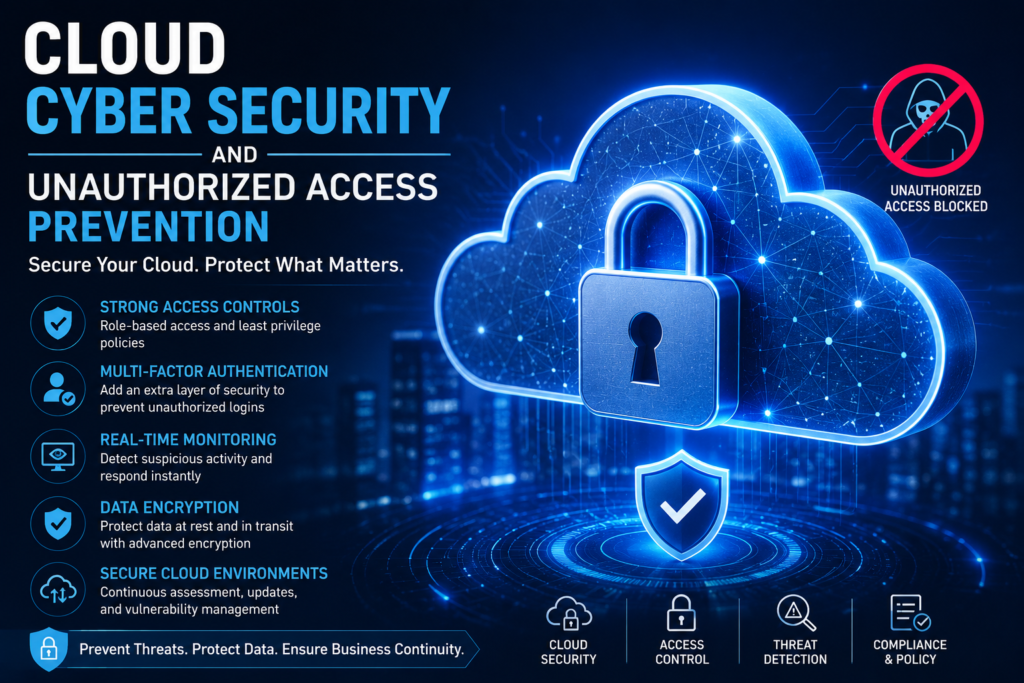
Cloud cyber security combines identity controls, access management, monitoring, encryption, security policies, and other protective measures to help businesses control who can access cloud resources and what they can do once they are connected.
For small and midsize businesses, the objective is not to create unnecessary complexity. It is to build practical controls around the systems and information the organization actually depends on.
Why Unauthorized Cloud Access Is a Business Risk
Unauthorized access occurs when someone gains access to a system, account, application, or data without appropriate permission.
The person behind the access could be an external attacker using stolen credentials. It could also result from an employee account with excessive permissions, a forgotten account, or a compromised device.
The consequences can extend beyond the affected account.
Depending on what has been accessed, unauthorized activity may expose confidential information, interrupt operations, affect customer data, or create additional security risks.
Cloud environments can make this more complicated because organizations often have many users, applications, devices, and access points to manage.
How Cloud Cyber Security Helps Control Access
Effective cloud security is not based on a single tool.
Instead, it uses multiple layers of protection to make unauthorized access more difficult to achieve and easier to detect.
1. Stronger Identity Verification
Passwords alone are not always enough to protect business accounts.
Multi-factor authentication (MFA) adds another verification step, requiring users to provide additional evidence of their identity before access is granted.
This can reduce the impact of a stolen password because knowing the password alone may not be sufficient to sign in.
However, MFA should be implemented thoughtfully. Businesses should also consider account recovery processes, administrative accounts, authentication methods, and the specific risks associated with their cloud platforms.
2. Controlling User Permissions
Not every employee needs access to every application or file.
Cloud cyber security can support a least-privilege approach, where users receive only the permissions necessary to perform their responsibilities.
For example, an employee who needs to view a particular business application may not need administrative access to the entire environment.
Reducing unnecessary privileges limits what an attacker can potentially access if an account becomes compromised.
3. Managing Accounts Throughout the Employee Lifecycle
Access management should not stop after an employee is given an account.
Businesses need processes for onboarding, role changes, temporary access, and employee departures.
When someone leaves an organization, their access should be reviewed and removed according to the company’s established procedures.
Old accounts, unused credentials, and forgotten permissions can become unnecessary security risks.
Monitoring Can Help Detect Suspicious Activity
Preventing every unauthorized access attempt is difficult.
That makes visibility an important part of cloud cyber security.
Security monitoring can help identify unusual activity, such as unexpected login patterns, suspicious authentication attempts, or other behavior that may require investigation.
The value of monitoring is not simply generating alerts. Businesses need appropriate processes for reviewing and responding to relevant security events.
Framewerx emphasizes continuous security monitoring through its Security Operations Center, while its managed services approach provides visibility into areas such as threat activity, system health, backups, and other operational information.
Protecting Access From Compromised Devices
An account can be properly configured and still become vulnerable if the device being used to access it is compromised.
Laptops, desktops, mobile devices, and other endpoints can become targets for malware, credential theft, or other attacks.
For this reason, cloud cyber security should be considered alongside endpoint protection and device management.
Businesses should understand which devices can connect to their cloud systems and whether those devices have appropriate security controls.
A broader security strategy can include:
- Endpoint protection and detection
- Security updates and patch management
- Device configuration standards
- Access controls
- Security monitoring
The exact controls needed will depend on the organization’s systems, users, and risk profile.
Encryption Helps Protect Cloud Data
Encryption helps protect information by making data unreadable without the appropriate method of decryption.
Cloud environments may use encryption for data in transit, data at rest, or both, depending on the service and configuration.
However, encryption should not be treated as a complete security solution.
A business can have encrypted data and still have a serious access problem if compromised accounts or excessive permissions allow an unauthorized person to reach that data.
That is why encryption works best as part of a broader security architecture.
Cloud Cyber Security Should Include SaaS Applications
Many businesses use dozens of cloud applications for accounting, communication, document management, customer relationships, project management, and other functions.
These Software-as-a-Service (SaaS) platforms can contain sensitive business information.
Each application can also introduce its own accounts, permissions, integrations, and security settings.
Businesses should therefore understand which SaaS applications are being used, who has access to them, and how those accounts are managed.
Framewerx includes SaaS protection within its FW360 service offering, alongside cybersecurity, support services, employee cyber training, management services, and vCIO services.
Why Employee Security Awareness Still Matters
Technology cannot eliminate every access risk.
Employees interact with email, cloud applications, files, authentication requests, and external communications every day. A convincing phishing message can potentially lead to compromised credentials even when technical security controls are in place.
Security awareness training can help employees recognize suspicious requests and understand their responsibilities.
Training should be practical rather than simply presenting a list of security rules.
Employees should know what suspicious activity looks like, how to report it, and what to do if they believe their credentials or device may have been compromised.
Framewerx’s FW360 offering includes auditable employee and cyber training as part of its broader security approach.
Cloud Configuration Can Affect Security
Cloud platforms provide extensive configuration options.
That flexibility is useful, but it also means security depends partly on how systems are configured and maintained.
A business may need to review areas such as:
User and Administrator Access
Administrative accounts should be carefully controlled because they can have significant privileges.
External Sharing
Businesses should understand whether employees can share files, applications, or other resources externally and under what conditions.
Authentication Policies
Authentication requirements should reflect the organization’s risk and the capabilities of the platforms being used.
Logging and Monitoring
Relevant activity should be visible enough to support investigation when suspicious behavior occurs.
Cloud security reviews can help identify configuration gaps before they become larger operational problems.
Cloud Cyber Security Needs Regular Review
Security is not a “set it and forget it” task.
Businesses change over time. Employees join and leave, applications are added, permissions change, cloud services evolve, and new threats emerge.
A security configuration that was appropriate two years ago may no longer match the organization’s current environment.
Regular reviews can help businesses identify:
- Unused accounts and permissions
- Security configuration gaps
- Outdated devices or software
- New cloud applications
- Changes in business risk
Framewerx’s technology alignment approach focuses on proactively assessing environments, identifying risks and misalignments, documenting systems, and tracking improvements rather than waiting for problems to become outages.
Backups Are Part of a Broader Security Strategy
Access control can help prevent unauthorized users from reaching information, but businesses also need to consider what happens if data is deleted, encrypted, corrupted, or otherwise unavailable.
Backups provide another layer of resilience.
A backup strategy should consider what information needs to be protected, how frequently it should be backed up, how long backups should be retained, and how restoration would work during an incident.
Framewerx’s cloud hosting services include managed backup supported by its redundant data-centre infrastructure, while its cloud offering also includes disaster recovery as a service (DRaaS).
The exact backup and recovery requirements should be based on the organization’s operational needs and risk tolerance.
What Businesses Should Review in Their Cloud Security
A practical cloud security review does not need to start with every possible technology.
Start with the fundamentals.
Review Identity and Access
Identify who can access important systems and whether their permissions match their responsibilities.
Review Devices
Determine whether the devices connecting to cloud resources are appropriately protected and managed.
Review Applications
Create visibility into the cloud and SaaS applications your organization depends on.
Review Monitoring
Make sure relevant security activity can be identified and escalated appropriately.
Review Recovery
Confirm that important data can be recovered if an incident affects availability or integrity.
These areas create a useful foundation for a broader security roadmap.
Cloud Security Is Also a Business Strategy
For business leaders, cloud cyber security should not be viewed solely as an IT problem.
A security incident can affect productivity, customer relationships, business continuity, and financial performance. That makes security part of operational planning.
The right approach is to understand which systems and data are most important to the organization and then prioritize security improvements around those risks.
This is also where strategic IT guidance can be useful.
Framewerx’s security and technology strategy services include risk assessments, business impact analyses, standards-based roadmaps, and security posture reporting for clients.
Building a More Controlled Cloud Environment
Reducing unauthorized access is not about making cloud systems difficult for employees to use.
It is about creating the right balance between accessibility and control.
Businesses can start by strengthening identity verification, limiting unnecessary permissions, protecting endpoints, monitoring important activity, reviewing cloud configurations, training employees, and maintaining reliable recovery processes.
As the environment grows, these controls should be reviewed against the organization’s changing technology and business requirements.
Conclusion
Cloud technology gives businesses flexibility, scalability, and access to tools that can support modern operations. At the same time, it changes how organizations need to think about access and security.
Cloud cyber security helps businesses build multiple layers of protection around identities, devices, applications, data, and cloud infrastructure.
No single security measure can eliminate unauthorized access completely. A stronger approach combines appropriate access controls, monitoring, employee awareness, secure configurations, backups, and regular risk reviews.
For organizations that do not have the internal resources to manage these areas alone, working with an experienced IT provider can provide additional expertise and structure.
Framewerx offers cybersecurity, managed IT, cloud hosting, co-managed IT, and strategic technology services designed to help organizations manage technology with greater visibility and direction.
If your business is reviewing its cloud environment or wants a clearer understanding of its current security posture, contact Framewerx to discuss your technology and security requirements and determine which areas should be addressed first. Contact Framewerx
Frequently Asked Questions
1. What is cloud cyber security?
Cloud cyber security uses access controls, identity management, monitoring, encryption, and security practices to protect cloud systems, applications, and business data from unauthorized access.
2. How can cloud cyber security reduce unauthorized access?
It can reduce access risks through MFA, least-privilege permissions, account reviews, monitoring, secure configurations, and endpoint protection across cloud systems and connected devices.
3. Why is MFA important for cloud security?
MFA adds an extra identity verification step when users sign in. This can reduce the risk of stolen passwords being used alone to gain unauthorized access to cloud accounts.
4. Does encryption prevent unauthorized cloud access?
Encryption helps protect data by making it unreadable without the required decryption method. However, it should work alongside access controls, monitoring, authentication, and other security measures.
5. How often should cloud security be reviewed?
Cloud security should be reviewed regularly as employees, applications, permissions, devices, and business requirements change. Ongoing reviews can help identify new risks and configuration gaps.