

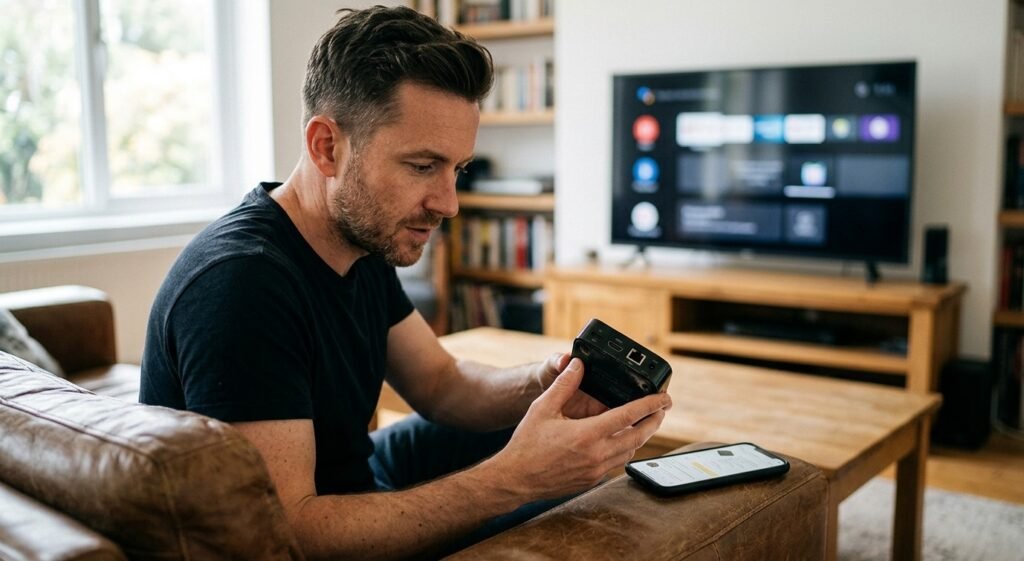

Buying a used or refurbished streaming box can be a smart way to save money while enjoying online entertainment on your television. However, a lower price is only worthwhile if the device is safe, compatible, and reliable. Older hardware, missing accessories, outdated software, and devices with unknown histories can create problems after purchase.
Whether you’re exploring IPTV India viewing options or looking for an Indian IPTV Box, checking a device carefully before buying can help you avoid unnecessary expenses. This guide explains what to inspect, which questions to ask, and how to set up a second-hand streaming box more safely.
Table of Contents
- Understand Used vs. Refurbished Streaming Boxes
- Check the Seller and Device Details
- Inspect the Hardware and Accessories
- Check Software, Security, and Compatibility
- Test the Device Before Paying
- Set Up Your Streaming Box Safely
- Frequently Asked Questions
- Final Thoughts and CTA
1. Understand Used vs. Refurbished Streaming Boxes
A used streaming box is usually sold by a previous owner. Its condition and maintenance history may vary.
A refurbished streaming box has typically been inspected, tested, repaired if necessary, or restored for resale. However, refurbishment standards differ between sellers, so the label alone does not guarantee quality.
Before purchasing, check:
- The device’s age and model number
- Whether it still receives software and security updates
- The seller’s return policy
- Whether a warranty is included
- What testing or repairs were performed
- Whether the original power adapter and remote are included
A slightly more expensive refurbished device with a clear warranty may offer better value than a cheaper used device sold without returns.
2. Check the Seller and Device Details
Choose a reputable retailer, refurbishment company, or seller with a verifiable history. Read recent reviews and look for clear descriptions of the device’s condition.
Ask the seller:
- Is the device fully functional?
- Has it been reset to factory settings?
- Does it have any known hardware faults?
- Are all accessories included?
- Can I return it if it does not work as described?
- Is proof of purchase available?
Check the exact model number on the manufacturer’s official website. Be cautious of listings that use vague descriptions such as “4K Android box” without naming the manufacturer or model.
Avoid devices advertised with suspicious promises, such as unrestricted access to every premium channel for life. A streaming box is hardware; legitimate content access usually depends on compatible applications, subscriptions, and content rights.
3. Inspect the Hardware and Accessories
If you can inspect the device in person, examine it before paying.
Look for Physical Damage
Check the casing, ports, ventilation openings, and power connector. Cracks, bent ports, corrosion, burn marks, or a strong burnt smell can indicate damage.
Check the Remote and Power Adapter
Make sure the remote works and that the power adapter is suitable for the device. Avoid using an unverified adapter with the wrong voltage or polarity.
Check for Overheating
Ask the seller to run the device for several minutes. Excessive heat, repeated restarts, unusual noises, or frequent crashes may indicate a problem.
Confirm the Included Accessories
Depending on the model, you may need an HDMI cable, remote, power supply, or Ethernet cable. Include the cost of missing accessories when comparing prices.
4. Check Software, Security, and Compatibility
A streaming box may look fine externally but still have software or security problems.
Confirm App Compatibility
Check whether the device supports the streaming apps you plan to use. Some applications require a particular operating system version, certification, or hardware capability.
If you plan to use IPTV, verify that your chosen, authorized provider supports the device and its operating system.
Check for Updates
Look for available operating-system and firmware updates. A device that no longer receives security updates may be less suitable for continued internet use.
Avoid Modified or Suspicious Software
Be cautious if the seller refuses to reset the device or says you must keep unknown applications installed. Preloaded apps may be outdated, unsafe, or unauthorized.
A legitimate device should not require you to disable security protections or install software from an unfamiliar source just to use ordinary streaming features.
Verify Certification Where Relevant
For Android-based devices, check whether the model has the appropriate certification for the services you want to use. Some uncertified devices may have compatibility, security, or playback limitations.
5. Test the Device Before Paying
Whenever possible, test the box using a television and internet connection.
Use this checklist:
-
The device powers on reliably.
-
The television recognizes the HDMI connection.
-
The remote responds correctly.
-
Wi-Fi connects and remains stable.
-
Ethernet works if the device has a port.
-
Menus open without excessive delays.
-
Sound and picture work correctly.
-
Supported apps can be installed or updated.
-
The device does not repeatedly freeze or restart.
-
Factory reset is available and completes successfully.
If you cannot test it in person, prioritize sellers who provide a return period and a clear written description of the device’s condition.
6. Set Up Your Streaming Box Safely
Once you buy the device, take a few steps before signing into your accounts.
- Perform a factory reset: Use the manufacturer’s official instructions to remove the previous owner’s accounts and settings.
- Install official updates: Update the operating system and firmware if supported.
- Use trusted app sources: Install applications from official stores or verified developers.
- Secure your accounts: Use unique passwords and enable additional security features where available.
- Check permissions: Review the permissions requested by installed apps.
- Use a secure network: Connect through a protected Wi-Fi network or Ethernet.
- Keep the device ventilated: Avoid placing it inside a closed cabinet or near heat sources.
A factory reset helps remove previous settings and accounts, but it does not guarantee that every device-level security issue has been resolved. If the device appears compromised or cannot receive essential updates, consider returning it.
7. Frequently Asked Questions
Is a refurbished streaming box better than a used one?
Not always. A refurbished device may have been tested or repaired by a professional seller, but standards vary. Check the warranty, return policy, and actual condition.
Is it safe to buy a second-hand Indian IPTV Box?
It can be, provided the device is from a trustworthy seller, compatible with your intended service, reset properly, and still receives appropriate security support.
Should I buy a streaming box without a warranty?
A warranty is useful but not essential for every purchase. If there is no warranty, a clear return policy and the ability to test the device become more important.
Can I use my existing IPTV subscription on a used box?
Possibly. Compatibility depends on your provider’s device rules, app support, and account limits. Confirm these details before buying.
What should I avoid when buying a streaming box?
Avoid devices with unknown model details, suspicious preinstalled apps, damaged power connectors, no clear return terms, or unrealistic promises of unauthorized premium content.
Do I need to factory-reset a used streaming box?
Yes, a factory reset is generally recommended to remove the previous owner’s accounts and settings. Follow the manufacturer’s instructions and update the device afterward.
8. Final Thoughts and CTA
A used or refurbished streaming box can provide good value when you choose carefully. Focus on the model, seller reputation, physical condition, software support, app compatibility, and return policy—not just the price.
Before buying an Indian IPTV Box, confirm that it supports your intended applications and that your chosen service is compatible. After purchase, reset the device, install official updates, and use trusted apps for a safer setup.
Ready to explore your IPTV setup? Visit IPTV India for IPTV-related information or review the Indian IPTV Box page for device details. A little research before buying can help you avoid costly surprises and enjoy more reliable streaming.