


A connected home may include smart televisions, security cameras, thermostats, lighting controls, video doorbells, and automated appliances. Each device adds another connection to the household network, but not every device needs its own network cable.
Homeowners often focus on the number of devices they plan to install without considering where those devices will connect or how much network traffic they may generate.
For homeowners planning smart home installation in Las Vegas, a room-by-room connection plan can help identify equipment locations, cable requirements, and areas where wireless coverage may be insufficient.
What counts as a network connection in a smart home?
A network connection allows a device to exchange information with other equipment or access internet services.
Most connected homes use two primary connection methods: wired Ethernet and wireless networking.
Ethernet cables provide physical connections between compatible devices and network equipment. Wi-Fi allows devices to communicate wirelessly through a router or access point.
Some smart home products use protocols such as Zigbee, Z-Wave, or Thread. These devices may communicate through compatible controllers rather than connecting individually to Wi-Fi.
A television, desktop computer, or security camera may use Ethernet, while a thermostat or smart plug may rely on wireless communication.
The number of devices in a home therefore does not equal the number of Ethernet connections required.
How can homeowners estimate network connection requirements?
A practical estimate starts with a room-by-room inventory.
Homeowners should list existing equipment, planned additions, and devices that might be installed later.
For example, a living room may contain a smart television, streaming device, gaming console, and wireless lighting controls. The television and gaming console may benefit from wired connections, while lighting equipment may communicate through a separate smart home protocol.
A home office may require connections for computers, printers, and a wireless access point.
Bedrooms may have fewer wired devices but still require reliable wireless coverage.
The networking services information from ACECOMM Inc. provides context about structured cabling and network infrastructure used to connect household equipment.
A simple inventory should record the device name, room, connection type, and whether a dedicated cable is necessary.
How many Ethernet ports should each room have?
There is no universal number of Ethernet ports that works for every home.
Connection requirements depend on the equipment installed in each room and whether devices can share a local network switch.
For example, a home office with two desktop computers and a network printer may require three wired connections if each device connects directly to the central network.
A living room with a television and gaming console may require two connections.
Rooms containing only wireless devices may not need individual Ethernet outlets, although nearby wireless access points may require wired connections.
Homeowners should also consider furniture placement. An outlet behind a large cabinet may become difficult to access after installation.
A room plan should identify both the number of ports and their intended locations.
How do security cameras affect network planning?
Security cameras introduce additional requirements because many systems transmit video continuously or during scheduled recording periods.
Power over Ethernet (PoE) cameras can receive network connectivity and electrical power through compatible Ethernet cabling and equipment.
Each directly connected PoE camera generally requires a network port and sufficient power capacity from the connected switch or injector.
For example, a home with four wired cameras may require four camera cable runs to the appropriate network equipment.
A network video recorder may also need a network connection, depending on the system architecture.
The security camera installation and surveillance systems page describes CCTV equipment and related security installation services.
Before planning camera connections, homeowners should identify:
- The intended camera locations.
- Whether cameras use Ethernet or Wi-Fi.
- Whether PoE equipment is required.
- Where recording equipment will be located.
- Whether network cables can reach each camera position.
Camera placement should also account for weather exposure, mounting surfaces, and accessible cable pathways.
What equipment connects all these devices?
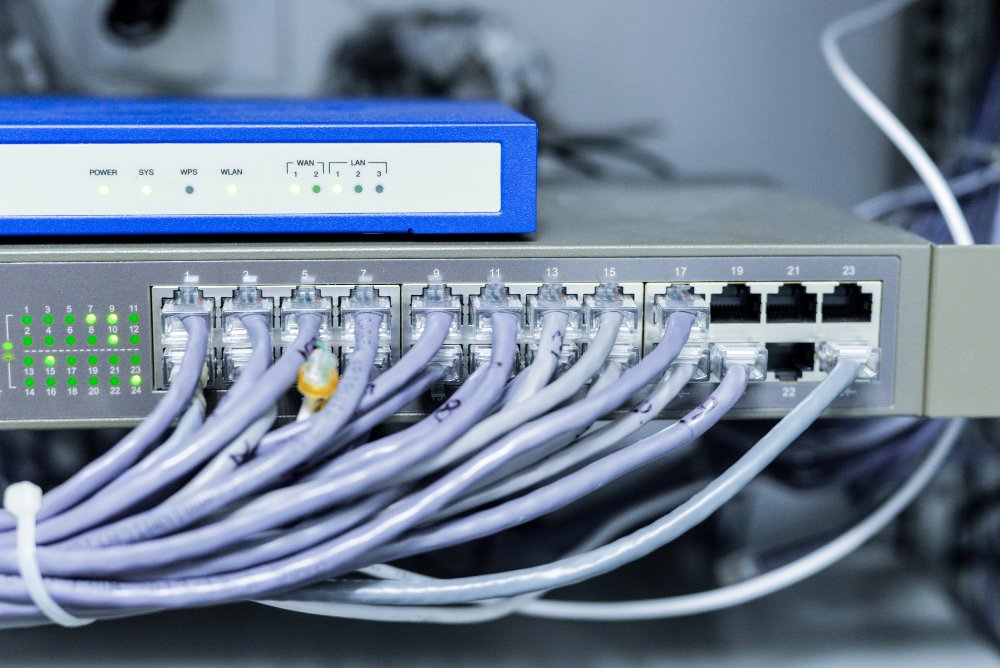
A home network may contain a router, Ethernet switches, wireless access points, and smart home controllers.
The router connects the local network to the internet service. Network switches expand the number of available wired connections.
Wireless access points provide Wi-Fi coverage and may connect to the main network through Ethernet.
A structured cabling layout often uses a central location where network cables terminate at a patch panel or compatible network equipment.
Homeowners should select a location with suitable ventilation, electrical access, and enough space for the planned equipment.
The Telecommunications Industry Association (TIA) publishes structured cabling standards that address telecommunications infrastructure in residential buildings. [VERIFY LINK]
How should smart home automation affect the connection plan?
Smart home automation can combine lighting, climate controls, entertainment equipment, security devices, and sensors into coordinated routines.
However, these devices do not necessarily require individual Ethernet cables.
Some communicate directly through Wi-Fi, while others use a compatible hub or controller. The controller may require a wired network connection even when the connected sensors communicate wirelessly.
The smart home automation and system integration page explains the types of connected household technologies that can be coordinated through automation systems.
Homeowners should identify which devices require direct network access and which communicate through a central controller.
For example, a lighting system may contain several wireless switches but only one network-connected controller.
Likewise, multiple sensors may communicate through a shared hub rather than occupying separate Ethernet ports.
This distinction helps prevent unnecessary cable runs while ensuring controllers have suitable network access.
How can homeowners create a practical connection plan?
A connection plan should combine current equipment requirements with reasonable future additions.
The following steps can help organize the process:
- List devices by room. Record televisions, computers, cameras, access points, controllers, and other connected equipment.
- Identify connection types. Mark each device as Ethernet, Wi-Fi, or another communication protocol.
- Count required cable runs. Include wired devices and equipment that needs a network connection.
- Check equipment capacity. Confirm that switches have enough usable ports and suitable PoE capacity where needed.
- Plan cable pathways. Identify accessible routes between device locations and central network equipment.
- Allow for future additions. Consider extra ports or cable pathways in rooms where equipment may change.
- Document the layout. Label planned outlets, cable destinations, and equipment locations.
The National Institute of Standards and Technology (NIST) also provides consumer guidance on connected device security and network configuration. [VERIFY LINK]
What should homeowners verify before installation begins?
Before walls are closed or equipment is mounted, homeowners should compare the connection plan with the actual room layout.
They should confirm that cable routes are accessible, equipment locations have suitable power and ventilation, and planned network outlets will not be blocked by furniture.
Camera connections, wireless access point locations, and automation controllers should be included in the same network diagram.
The final device count should distinguish between wired connections, wireless clients, and devices communicating through separate smart home protocols.
This documented layout provides a reference for cable labeling, equipment configuration, and future changes to the household network.