

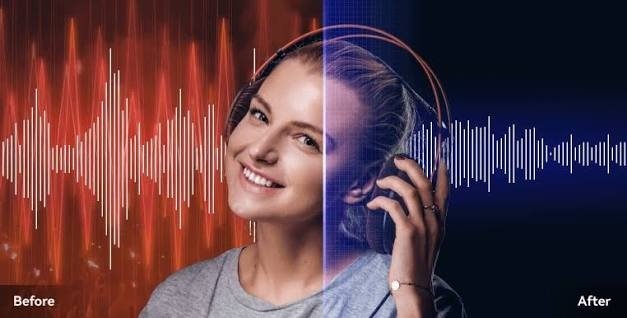

Audio plays an important role in how people experience digital content. From YouTube videos and podcasts to online courses and business presentations, clear sound helps audiences understand information and stay engaged. However, recordings made at home, in offices, or outdoors often contain unwanted sounds that affect their quality.
Audio enhancement offers several ways to improve these recordings. You do not need to be an audio engineer to get started. By learning a few basic techniques, understanding common sound problems, and using suitable tools, beginners can make their recordings clearer and more enjoyable to hear.
What Is Audio Enhancement?
Audio enhancement refers to techniques used to improve the quality, clarity, and consistency of sound. Depending on the recording, this may involve reducing background noise, adjusting volume, removing unwanted clicks, or improving the balance between different audio elements.
The purpose is to make the recording easier to understand without changing its original meaning or making it sound unnatural.
For example, a voice recording made in a room with a running fan may contain a steady humming sound. Reducing that noise can help listeners concentrate on the speaker’s words.
Audio enhancement is useful for beginners, students, content creators, teachers, podcasters, and anyone who regularly records speech.
Understanding Common Audio Problems
Before improving a recording, it helps to identify what is wrong with it. Different problems require different solutions.
Background Noise
Background noise includes sounds that are not part of the main recording. Examples include traffic, fans, air conditioners, keyboard clicks, and nearby conversations.
Continuous noise can distract listeners, particularly when it is almost as loud as the speaker.
Echo and Reverberation
Echo occurs when sound reflects from nearby surfaces and returns to the microphone. It can make speech sound distant, hollow, or unclear.
Rooms with hard walls and very little furniture may produce more noticeable reflections.
Distortion
Distortion happens when an audio signal becomes damaged, often because the recording level is too high. The result may sound harsh, crackling, or unpleasant.
Reducing background noise will not necessarily repair distortion, so it is important to identify the problem correctly.
Uneven Volume
Some recordings contain sections that are much louder or quieter than others. This can make listening uncomfortable because the audience has to adjust the volume repeatedly.
Careful volume adjustment can help create a more consistent listening experience.
Start With Better Recording Habits
One of the simplest ways to improve audio is to prevent problems before they occur.
Choose a quiet place to record and turn off unnecessary noisy equipment. If you are recording near a window, check whether traffic or outdoor activity can be heard inside the room.
Place the microphone at a suitable distance from your mouth. A microphone that is too far away may capture excessive room noise, while one placed too close can emphasize breathing and popping sounds.
Make a short test recording before beginning the full session. Listening to a few seconds of audio can reveal problems that are easy to fix early.
How Noise Reduction Improves Speech
Noise reduction is a technique that attempts to reduce unwanted sounds while preserving the main audio.
Modern audio-cleaning tools may analyze the recording to distinguish background noise from speech. Depending on the tool and the recording, this can help make voices clearer without requiring extensive manual editing.
For people looking for an online option, Noise Remover is a resource to explore for audio noise-removal tasks.
The effectiveness of noise reduction depends on the original recording. A steady fan may be easier to reduce than several people speaking simultaneously in a crowded room.
For the best results, begin with a recording in which the speaker is reasonably clear and the background noise is not overwhelmingly loud.
The Importance of Natural Sound
A clean recording should still sound natural. Removing too much background information can sometimes make speech sound artificial or robotic.
This is especially important for podcasts, interviews, and educational recordings, where listeners need to hear the speaker clearly for an extended period.
After applying noise reduction, listen carefully to the result. Check whether words remain understandable and whether the speaker’s voice retains its natural character.
If the voice sounds damaged, try a gentler level of processing or return to the original recording and use another approach.
Audio Enhancement for Video Creators
Video creators often focus on lighting, camera quality, and editing effects. However, audio is another essential part of the production process.
A tutorial with clear speech is easier to follow than one in which the instructions are buried beneath background noise. The same principle applies to product demonstrations, interviews, and educational videos.
Creators can improve their recordings by using a suitable microphone, recording in a quiet room, and reviewing the audio before publishing.
When noise remains in an existing video, cleaning the audio separately may help improve the final result, depending on the available editing tools.
Improving Audio for Podcasts
Podcasts rely heavily on spoken content. Listeners may spend considerable time hearing conversations, stories, or explanations, making distracting sounds particularly noticeable.
Podcast beginners can improve their recordings by preparing their environment, testing microphone levels, and maintaining a consistent speaking distance.
During editing, they can review the recording for unwanted clicks, excessive pauses, background noise, and sudden volume changes.
It is important not to remove every natural pause. A recording should remain comfortable and conversational rather than sounding artificially compressed or rushed.
Simple Editing Techniques for Beginners
Audio enhancement does not always require complicated software. Some improvements can be made through basic editing.
- Trim unwanted sections: Remove unnecessary noise before or after the main recording.
- Adjust volume: Make quiet speech easier to hear without introducing excessive distortion.
- Reduce background noise: Use an appropriate noise-reduction method when unwanted sounds interfere with speech.
- Remove distracting clicks: Edit isolated noises when doing so does not damage nearby words.
- Compare versions: Listen to the original and processed audio to determine which sounds better.
These steps can help beginners develop a more systematic editing process.
Protect Your Original Audio
Always save a copy of your original recording before making significant changes.
This is useful because some processing methods may not produce the expected result. Keeping the original file allows you to try different techniques without losing the source material.
For important recordings, use clear filenames and keep original, edited, and final versions organized in separate folders.
This simple habit can save time when revising a project or correcting an editing mistake.
Choosing the Right Approach
Not every recording needs the same type of enhancement. A noisy voice recording may benefit from noise reduction, while a recording with excessive echo may need a different solution.
Before editing, ask yourself three questions:
- What is the main problem affecting the sound?
- Which parts of the recording need improvement?
- Does the processed version sound clearer without damaging the original audio?
Answering these questions can help you avoid unnecessary processing and focus on changes that genuinely improve the recording.
Conclusion
Audio enhancement is a practical skill that anyone can begin learning. Understanding common sound problems, choosing a quieter recording environment, and using basic editing techniques can make a noticeable difference in audio quality.
Noise-reduction tools can also help when unwanted sounds remain in a recording. However, successful enhancement is not simply about removing every background sound. It is about improving clarity while preserving the natural quality of the main audio.
Whether you are creating podcasts, videos, online lessons, or presentations, a careful approach to recording and editing can help you produce sound that is easier to understand and more pleasant to hear.